Feature request: Timeline-based TTS/audio editing to sync on-screen elements with narration
I’d love to see a more intuitive, Camtasia-style timeline for managing TTS/audio alongside on-screen elements in Synthesia.
Right now, one of my biggest pain points is trying to synchronize text or other visual elements with specific parts of the voiceover.
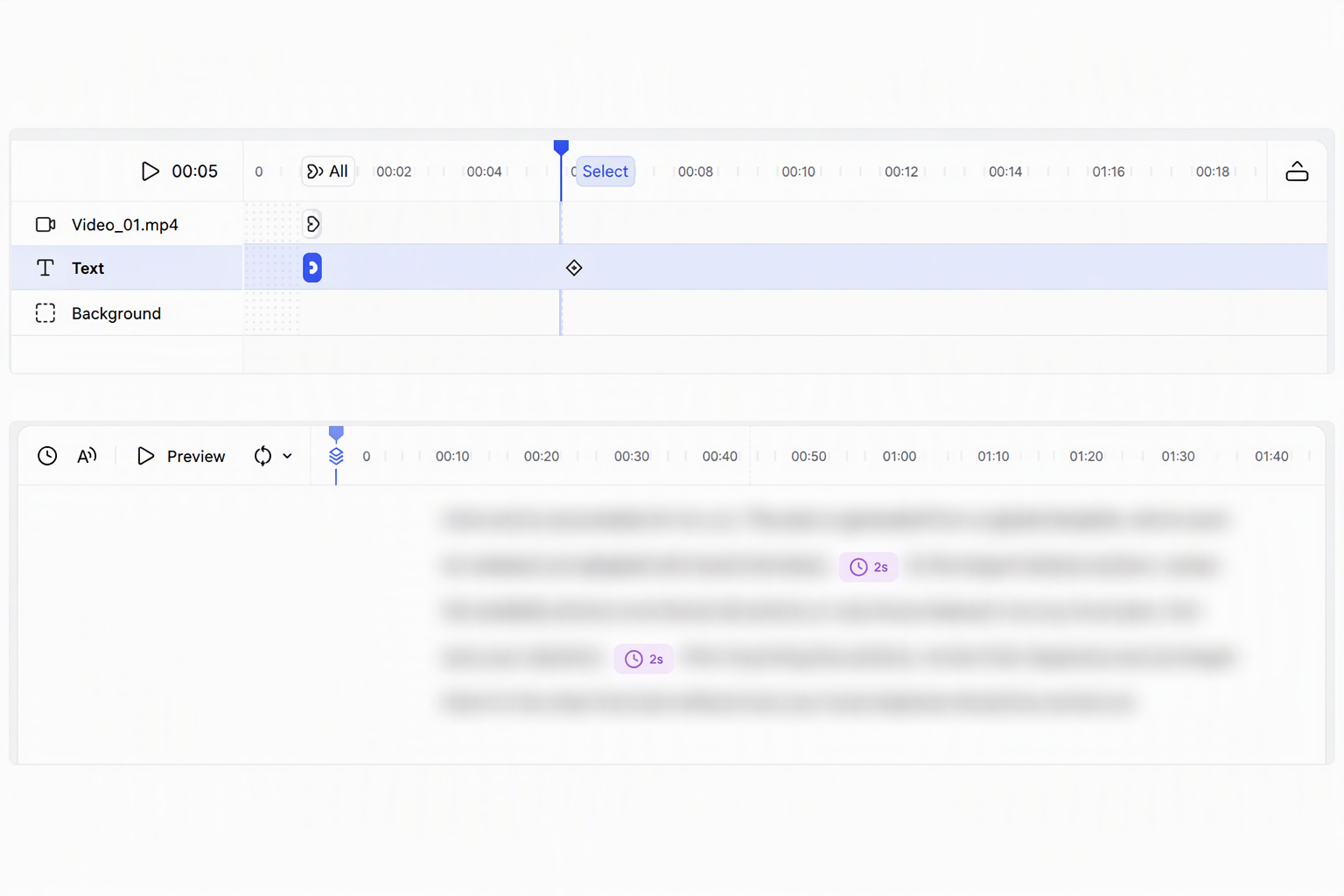
For example, in my screenshot I can see where my “Scope” text element starts on the scene timeline. Separately, I can see the narration/script and the pauses I’ve added. But I cannot easily see which exact word or sentence in the TTS corresponds to that point on the scene timeline.
So if I want “Scope” to appear exactly when the voiceover begins talking about scope, I’m essentially previewing, stopping, adjusting, and trying again.
What would make this much more intuitive:
Show the TTS/voiceover as a track directly on the scene timeline.
Display sentence/word boundaries or markers along that track.
Let users see exactly where a sentence starts and ends in relation to visual elements.
Allow dragging or aligning visual elements against those narration markers.
Ideally, provide snapping to sentences, words, pauses, or other narration cues.
Bonus: clicking a sentence in the script could move the timeline playhead to that exact point, and vice versa.
Something similar to the audio/text synchronization experience in Camtasia or other timeline-based video editors would make a huge difference.
The current interface works well for creating narration, but once precise synchronization between TTS and visual elements becomes important, it gets quite cumbersome.
Would really love to see the script/TTS and scene timeline brought together into one intuitive editing experience.